BMW Apple CarPlay Half Screen to Fullscreen Upgrade
Widescreen CarPlay coded to run edge-to-edge instead of the factory half-screen view.
Already have half-screen Apple CarPlay on your BMW's NBT EVO system? This upgrade switches it to a true full-width display — up to 10 app icons per screen instead of the standard split-screen layout of 8.
This is a software-only upgrade using genuine BMW firmware — no aftermarket boxes, no head unit replacement, and your existing half-screen CarPlay must already be working before this can be applied.
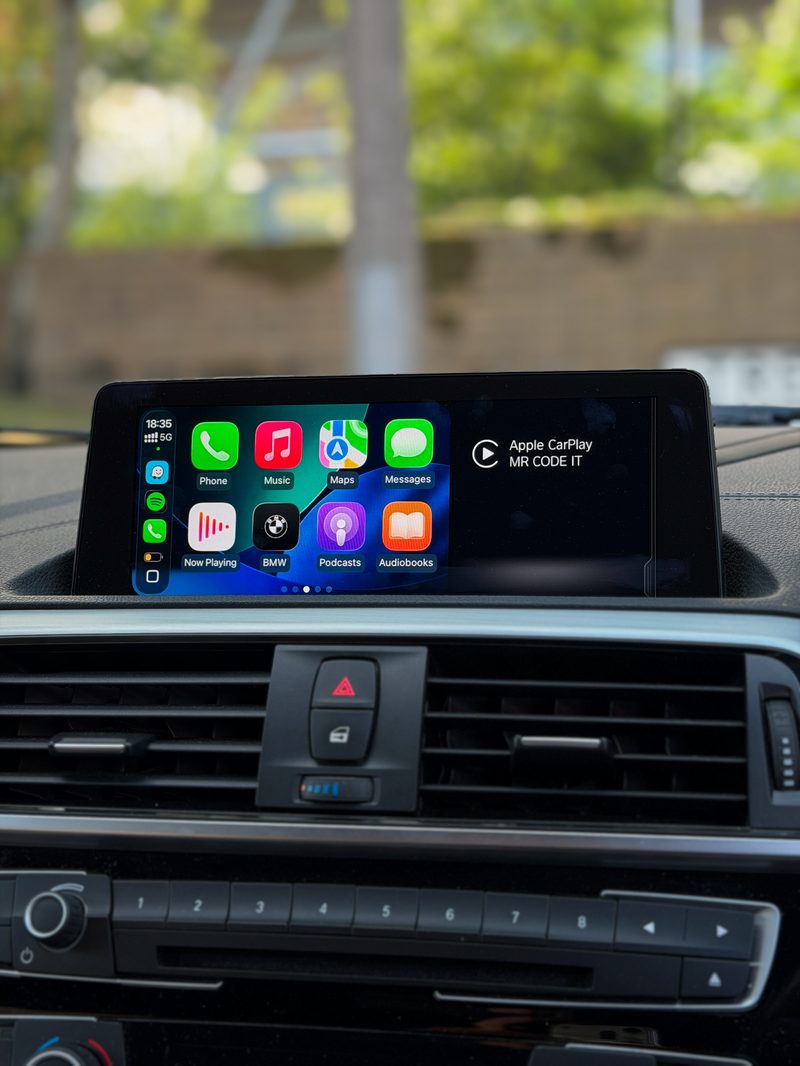
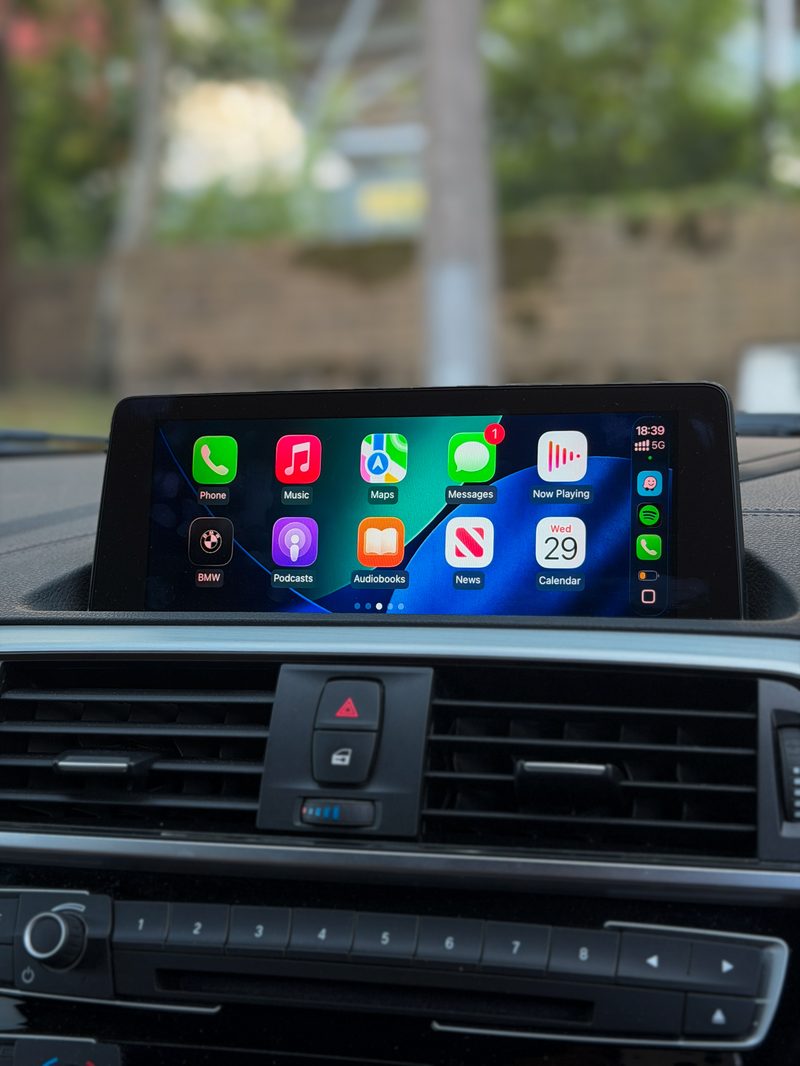
Key Benefits
- Full-width CarPlay display instead of the standard split-screen layout
- More room for Apple Maps, Google Maps, Waze, Spotify and messaging apps
- Uses genuine BMW firmware — no third-party hardware
- Retains all factory functions (iDrive controls, steering wheel buttons, OEM microphone)
- Fully reversible
Fullscreen CarPlay Compatibility
This upgrade applies to NBT EVO ID5 and ID6 systems (F and G Series BMWs) and EntryNav2 units that already have half-screen Apple CarPlay working.
How to Check Your Firmware Version
Go to Navigation → press the Options button → Settings → Position & Version History → Version Information.
EntryNav2: fullscreen is available from iLevel 2020-07 onward.
If your firmware is on an older version, a firmware update may be needed before fullscreen can be applied — we'll confirm this from your version details.
Not Sure Which Firmware You're On?
Send us a photo of your Version Information screen via WhatsApp and we'll confirm whether fullscreen is a straightforward upgrade or needs a firmware update first.
- Compatibility confirmed against your exact model before any work begins
- Fully coded and tested on-site before you drive away
- Mobile appointment, or visit us in M16 — whichever suits you
- No-obligation quote confirmed with you first, no surprises on the day
Ready to book?
Get a fixed quote for this job, confirmed against your exact BMW model.